good day (daytime greeting)How to batch convert SolidWorks drawing files to DXF or DWG." Note the following.
How to batch convert drawing files (.SLDDRW) to DXF or DWG
If you want to convert a large number of drawing files at onceYou can use the SOLIDWORKS task scheduler. It is.
Citation:SolidWorks official website
The SOLIDWORKS Task Scheduler allows you to set up tasks that you plan to run in the future. If you have resource-intensive tasks, such as rebuilding a large assembly, you can use the Task Scheduler to run jobs during off-peak hours.
Use this feature to batch convert SolidWorks drawing files I will do so.
(1) Start the SOLIDWORKS Task Scheduler
Start → SOLIDWORKS Tools → SOLIDWORKS Task Scheduler
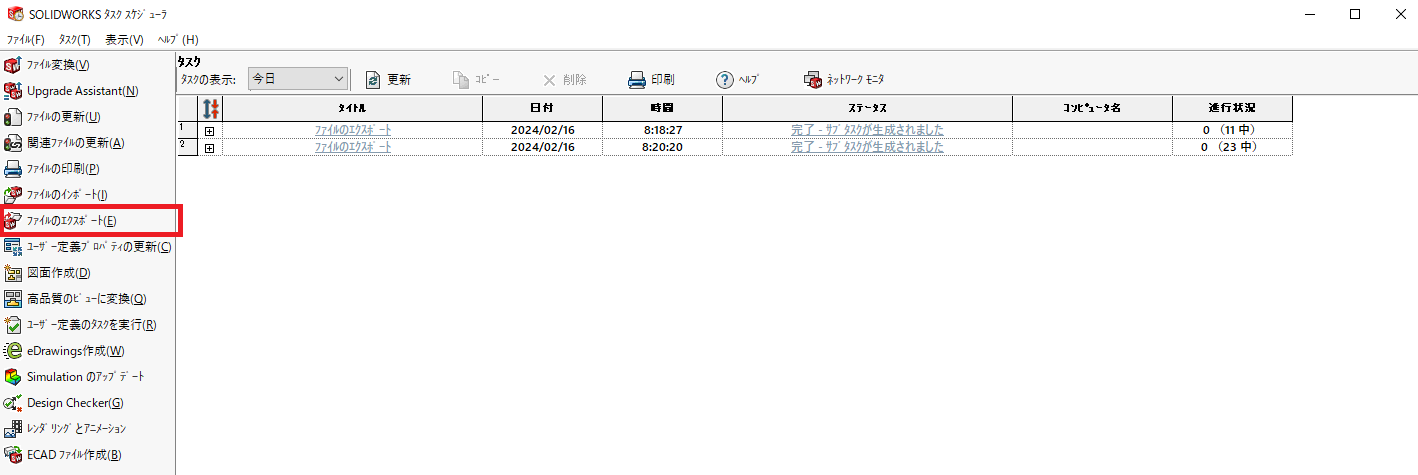
WHEREAS,Select "Export Files (E)" in the menu on the leftI will do so.
Set the conversion contents.
In batch conversionYou can prepare a folder to export in advance. It is.
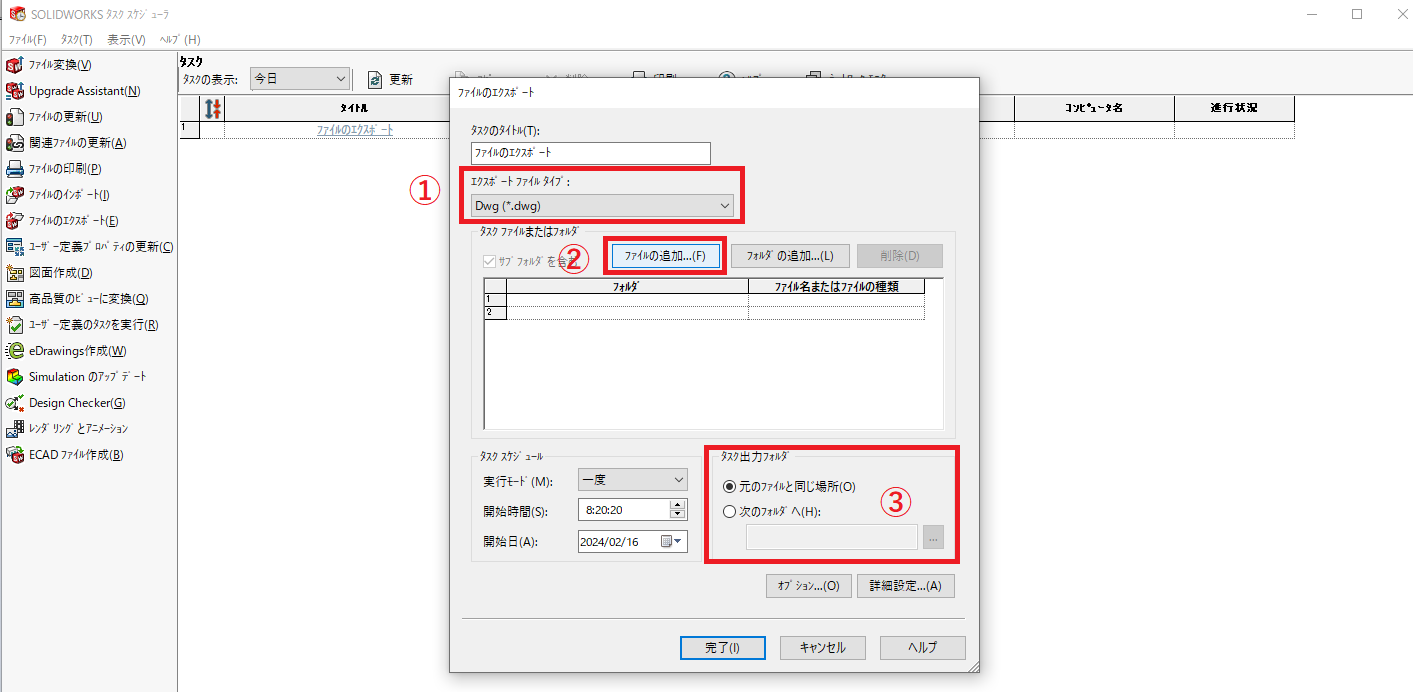
- Select the extension to be exported.
- Select the file (SolidWorks drawing) to be exported.
- Select the export destination.
(3) Click the Done button to start exporting (takes a little time)
The conversion takes time depending on the number of files, but you can see if it is finished in the task scheduler list.
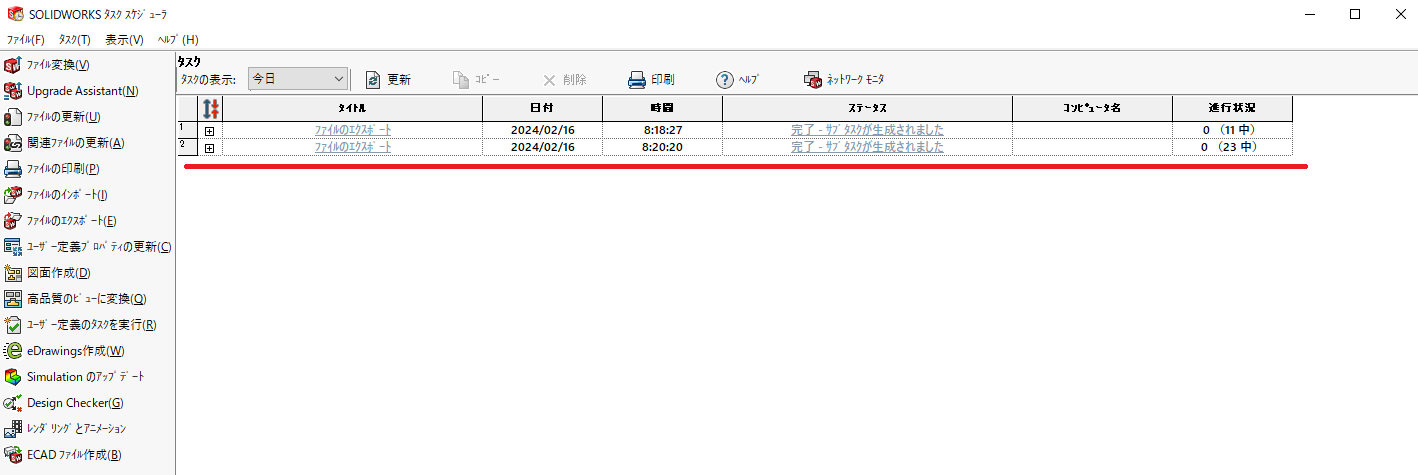
Since SolidWorks will be up and running during the conversion, it is a good idea to run it when you are not working on other tasks, such as during a break.
That's it.